Brand
The Gixts mark, in every size you might need.
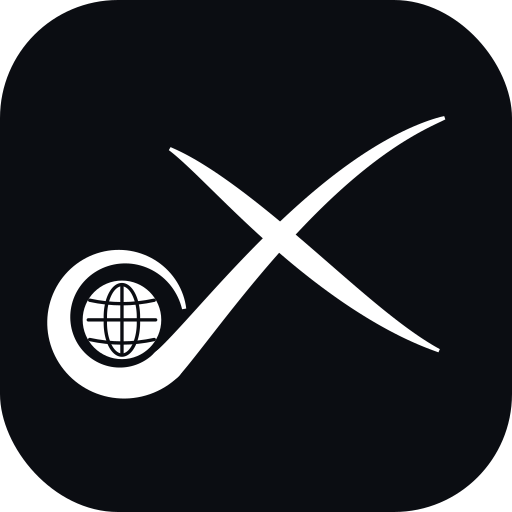
A calligraphic X whose lower-left arm curls round a globe: the G. Use the SVG wherever you can; the PNGs are for places that need a fixed size, from a 16px favicon to a 2048px press image. Dark strokes on light, light strokes on dark; never recolour the globe.
Vector originals
Use these wherever the platform accepts SVG. The lockups have the wordmark converted to outlines, so they need no font installed.




App icons: iOS, Android, PWA, desktop
The mark on the obsidian tile at every size the platforms ask for: 1024 for the App Store and Play listing, 180/167/152/120 for iOS home screens, 512 and 192 for Android and the web manifest, 256 and below for desktop shortcuts. The maskable pair keeps the mark inside Android's safe zone.












Favicon and Windows tiles
The .ico carries 16, 32 and 48 px. The tiles are for pinned sites on Windows; browserconfig.xml points at them.




Mark on transparent, dark strokes
For light backgrounds, documents and print.




Mark on transparent, white strokes
For dark backgrounds, video and slides.




Lockups: mark with wordmark
Square, with the wordmark under the mark. Light and dark with a background, and both transparent.






Lockups, dark
The same lockup for dark surfaces, with and without the obsidian background.






Using it
- Keep clear space around the mark equal to the globe’s diameter.
- On photographs or busy backgrounds use the tile, not the bare mark.
- Do not stretch, rotate, add effects, or set the strokes and globe in different colours.
- The wordmark is Plus Jakarta Sans. In the SVG lockups the letters are outlines, so the file needs no font installed.
- Everything here is © Harsh Sharma, Gixts Labs. Use it to refer to Gixts and its products; ask before using it for anything else at harsh@gixts.com.